The Room You Spend More Time in Than Your Bedroom
Most people who work from home full-time spend 2,000 or more hours a year at their desk. That is more time than they spend in their bed, their car, or any restaurant. And yet the typical home office is an afterthought: a spare bedroom with a flat-pack desk, a chair chosen for looks over lumbar support, and a laptop screen positioned at exactly the wrong height for the human neck.
This is a room that deserves serious investment. Not because a nicer desk makes you more productive in any measurable way, but because chronic discomfort, poor lighting, and visual clutter create a low-level friction that compounds over years. A considered home office removes that friction. It does not need to look like a magazine spread. It needs to work for eight to ten hours a day, five days a week, for years.
What follows is a practical breakdown of every component that matters, organized into three budget tiers: $5,000, $15,000, and $30,000. At each level, the gains are real but the diminishing returns are steep. Knowing where to spend and where to hold back is the entire game.
The Chair: Where Every Dollar Matters Most
If you can only spend serious money on one thing, make it the chair. No other purchase in a home office has a more direct, daily impact on your body. A bad chair at 25 is annoying. A bad chair at 45 is a herniated disc.
Three chairs dominate the serious ergonomic market, and each has a distinct philosophy.
The is the default recommendation for good reason. Its PostureFit SL lumbar support is the best passive system available, the mesh seat eliminates heat buildup, and the build quality is such that Herman Miller offers a 12-year warranty and means it. The remastered version fixed the original's weak points: forward tilt, better armpad adjustment, and a refined recline. It runs $1,395 to $2,195 depending on configuration. The honest downside: the mesh seat has no cushion, which some people never adapt to. If you like a padded seat, you will not like this chair no matter how ergonomically correct it is.
The takes the opposite approach. Foam seat, fabric upholstery, and a flexible backrest that bends with your spine rather than holding it rigid. The LiveBack technology genuinely changes shape as you recline, and the upper back support is arguably better than the Aeron's. It also handles a wider range of body types, particularly heavier users who find the Aeron's size system restrictive. Price is $1,282 to $2,226. The trade-off: it runs warmer, the fabric shows wear after five to seven years, and the aesthetic is unmistakably corporate.
The is the minimalist's choice. It has no manual adjustments beyond seat height and armrests. The recline mechanism uses your body weight to automatically calibrate tension, which is either brilliant or infuriating depending on your preference for control. The headrest version is the one to get; without it, the chair loses its main advantage. At $1,159 to $2,099, it is comparable in price. The honest assessment: it rewards people who recline while thinking and punishes those who lean forward constantly. If you spend most of your day hunched over a keyboard, the Aeron or Leap will serve you better.
The right chair is not the most expensive one. It is the one that matches how you actually sit, not how you think you should sit.
The Budget Play That Actually Works
If $1,500 on a chair feels like too much, buy a refurbished Aeron or Leap from a certified reseller. Companies like Crandall Office and Madison Seating sell them for $500 to $800 with new gas cylinders and fresh fabric. A five-year-old Aeron with new parts will outlast a new $400 office chair by a decade.
The Desk: Standing, Sit-Stand, or Fixed
The standing desk craze has mellowed into something more sensible: the sit-stand desk. The research is clear that standing all day is only marginally better than sitting all day, and both are worse than alternating between the two. A motorized sit-stand desk that moves reliably and quietly is the standard for any serious home office.
At the $5,000 tier, the Uplift V2 Commercial ($599 to $1,200 configured) is the rational choice. It uses a dual-motor system, holds 355 pounds, and has programmable height presets. The frame is excellent. The laminate and bamboo desktop options are adequate, though you will want to upgrade to solid wood or butcher block if aesthetics matter. The Jarvis by Fully is the other strong option in this range, with a slightly smaller footprint that works better in tight spaces.
At the $15,000 tier, the calculus shifts. A custom walnut or white oak desktop on an Uplift or Jarvis frame gives you the mechanical reliability of a mass-market base with the look and feel of something purpose-built. Budget $800 to $1,500 for a solid hardwood top from a local woodworker, finished to your spec. The total comes in around $1,500 to $2,500 and looks nothing like what it costs.
At the $30,000 tier, you are looking at fully integrated desks from makers like Halcyon or a custom-built piece from a furniture studio. These desks incorporate cable management, wireless charging, and monitor arms into the structure itself, with no visible hardware. They start around $4,000 and climb past $8,000. They are beautiful. Whether they are four times better than a custom top on an Uplift frame is a question only your budget can answer.
Do You Actually Need a Standing Desk?
If you are honest with yourself and know you will never stand at your desk, buy a fixed desk and invest the savings elsewhere. A quality fixed desk from a maker like Floyd or Article starts at $500 to $1,000 and will look better than any sit-stand option. Pair it with a walking pad under a separate standing station if you want movement during calls.
The Monitor Setup: Where Productivity Actually Lives
The single biggest upgrade most remote workers can make is not a faster computer. It is more screen real estate at the correct height. A laptop screen is too small, too low, and too close. Every hour spent hunched over a 13-inch display is a down payment on neck pain.
The minimum viable setup is a single 27-inch 4K monitor on an adjustable arm, with the top of the screen at eye level. The LG 27UK850-W or Dell U2723QE are strong options under $600. Add a monitor arm from Ergotron ($130 to $280) rather than using the included stand, which rarely gets the height right and wastes desk space.
For the $15,000 office, step up to an ultrawide. The Dell U3423WE (34-inch curved, USB-C hub built in) eliminates the bezel split of dual monitors and handles video calls, documents, and reference material in a single sweep. At $750, it is one of the best value-to-impact purchases in this entire guide.
At the $30,000 level, the Apple Pro Display XDR ($3,499 without stand) or the Samsung ViewFinity S9 ($1,299) enter the conversation for creative professionals. The Pro Display XDR is genuinely remarkable for photo editing, video grading, and design work. For spreadsheets and email, it is a $3,500 status symbol. Know what you need it for before writing the check.
Lighting: The Most Underestimated Component
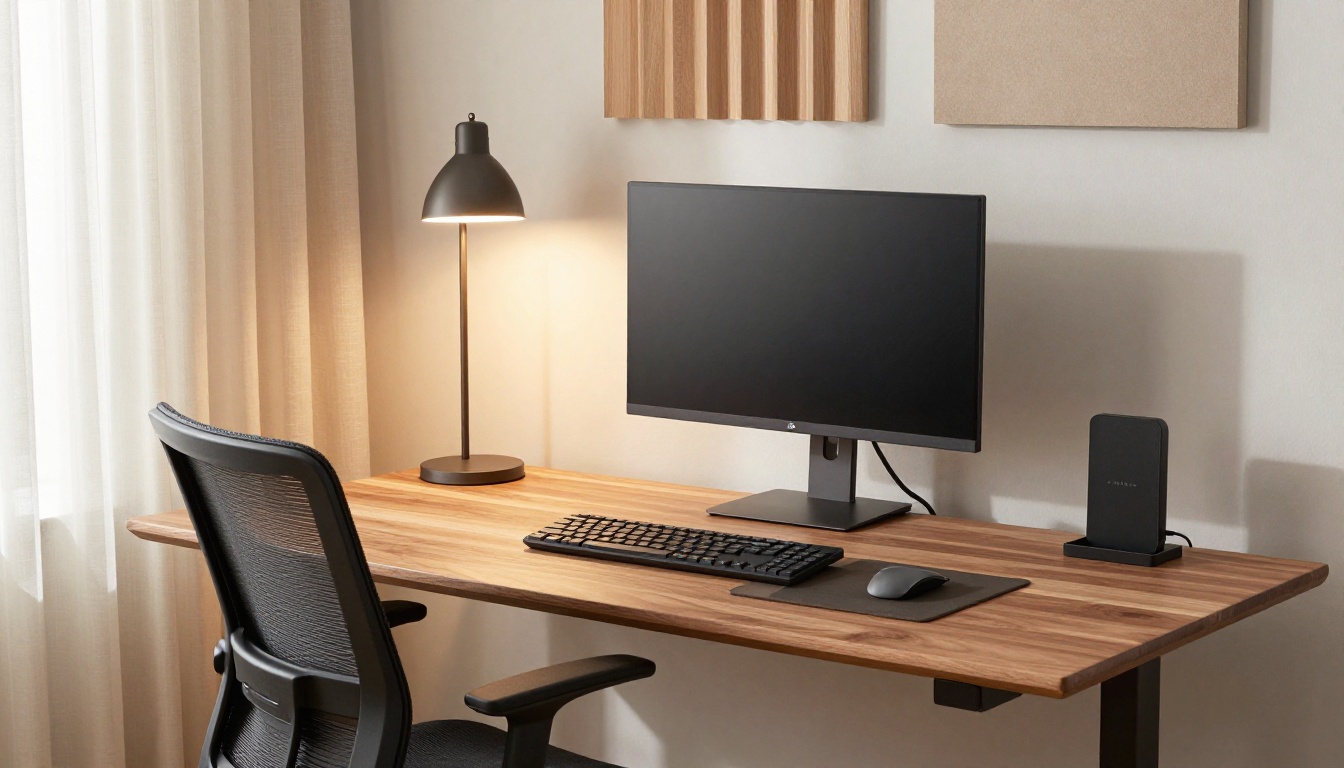
Bad lighting causes more fatigue than a bad chair. Most home offices rely on overhead ceiling lights that create glare on screens and harsh shadows on faces during video calls. The fix is layered lighting: a task light for the desk, ambient light for the room, and bias lighting behind the monitor.
The BenQ ScreenBar Halo ($179) is a task light that mounts on top of your monitor and illuminates your desk without any glare on the screen. It is an absurdly effective product for its price. The Dyson Solarcycle Morph ($650) is the premium alternative, with automatic color temperature adjustment throughout the day. Whether that justifies the price difference over the BenQ is debatable. For most people, the BenQ is enough.
For ambient room lighting, a pair of warm-toned floor lamps (2700K to 3000K) positioned behind and to the sides of your desk eliminates the cave effect of a single desk lamp. Budget $200 to $800 depending on whether you want IKEA functionality or Flos aesthetics. The point is the same: soft, diffused, warm light that does not compete with your screen.
Bias lighting -- an LED strip behind your monitor -- reduces eye strain by lowering the contrast ratio between the bright screen and the dark wall behind it. A $30 strip from Luminoodle or Govee does the job. This might be the single best dollar-per-improvement investment in the entire office.
Acoustics: The Problem Nobody Thinks About Until They Have It
If you take calls regularly, room acoustics matter. A hard-walled room with no soft surfaces creates echo that makes you sound like you are calling from a bathroom, regardless of how good your microphone is. This is similar to the lesson from setting up a home audio system: the room shapes the sound more than the equipment.
The low-cost fix is soft furnishings: a wool rug, heavy curtains, an upholstered chair, bookshelves filled with actual books. These absorb reflections and tighten the sound of your voice on calls. Budget $500 to $2,000 depending on what the room already has.
The mid-tier fix adds acoustic panels. Companies like Felt Right and Kirei make panels that look like wall art rather than recording studio treatment. Six to eight panels strategically placed on the wall behind your monitor and on the wall behind your chair will transform call quality. Budget $400 to $1,200.
At the top tier, a dedicated acoustician can treat the room properly, including ceiling panels, bass traps in corners, and a door upgrade to block household noise. This runs $2,000 to $5,000 but produces a room that sounds professional on any microphone and doubles as a genuinely quiet space for focused work.
Cable Management: Simple but Non-Negotiable
Visual clutter is cognitive clutter. A desk covered in cables, adapters, and power strips creates a low-level anxiety that you stop noticing but never stop feeling. The solution is not complicated, just deliberate.
A cable tray mounted under the desk ($30 to $80 from J Channel or Scandinavian Hub) hides power strips and excess cable length. Velcro ties, not zip ties, bundle cables together while allowing easy changes. A single USB-C hub or Thunderbolt dock (CalDigit TS4 at $380 is the current gold standard) reduces the cable count from eight or nine to two: power and one Thunderbolt cable to the laptop. This is not glamorous spending, but it is the difference between a desk you want to sit at and one that vaguely stresses you out.
Three Tiers, Itemized
Here is what each budget level looks like with specific products and prices. These are real configurations, not aspirational wishlists.
Home Office Build: Three Budget Tiers
| Component | $5,000 Tier | $15,000 Tier | $30,000 Tier |
|---|---|---|---|
| Chair | Refurb Herman Miller Aeron ($650) | New Steelcase Leap or Aeron ($1,500) | Herman Miller Embody + footrest ($1,900) |
| Desk | Uplift V2 w/ laminate top ($700) | Uplift frame + custom walnut top ($1,800) | Custom integrated desk ($5,000-8,000) |
| Monitor | Dell U2723QE 27" 4K ($450) | Dell U3423WE 34" ultrawide ($750) | Apple Pro Display XDR ($3,499) |
| Monitor Arm | Amazon Basics ($30) | Ergotron LX ($180) | Ergotron HX heavy-duty ($280) |
| Lighting | BenQ ScreenBar ($109) + bias strip ($30) | BenQ ScreenBar Halo ($179) + floor lamp ($300) | Dyson Solarcycle ($650) + Flos lamps ($1,200) |
| Acoustics | Rug + curtains ($500) | Felt Right panels x6 ($600) + rug ($800) | Professional treatment ($3,000-5,000) |
| Cables | J Channel tray + Velcro ($50) | CalDigit TS4 dock + tray ($450) | CalDigit TS4 + custom routing ($600) |
| Peripherals | Logitech MX Keys + MX Master 3S ($220) | Apple Magic Keyboard + Trackpad ($400) | HHKB Pro Hybrid + Logitech MX Master 3S ($550) |
| Webcam/Mic | Logitech Brio ($150) | Elgato Facecam + Shure MV7 ($450) | Sony ZV-E10 as webcam + Shure SM7dB ($1,100) |
| Total | $2,900 (leaves room for art, shelving) | $7,400 (leaves room for upgrades) | $17,800-23,800 (room treatment variable) |
Notice that even the $30,000 tier does not spend $30,000 on equipment. The remaining budget goes where it arguably matters most: the room itself. Paint, millwork, built-in shelving, better doors, proper electrical with dedicated circuits, and the kind of interior design help that turns a spare bedroom into a room with purpose.
Where to Spend and Where to Hold Back
After building and rebuilding home offices across these tiers, a clear hierarchy emerges.
Spend more than you think you should on: the chair (your back will thank you in a decade), the monitor and its position (neck strain is cumulative), and lighting (fatigue is the silent productivity killer).
Spend less than you think you should on: the desk (a $700 sit-stand desk works as well as a $4,000 one mechanically), peripherals (the $220 Logitech combo performs within 90% of anything more expensive), and decorative accessories (a single piece of well-chosen art beats ten desk trinkets).
Do not skip: cable management (cheap to solve, expensive in daily irritation if ignored), a proper monitor arm (the single fastest ergonomic improvement), and room acoustics if you take more than two calls a day.
The Honest Take on Aesthetics vs. Ergonomics
The most photogenic home offices on the internet are often ergonomic disasters. A beautiful mid-century desk with no cable management, a design chair with no lumbar support, a single pendant light that creates glare on the screen. These rooms look good in a photo and feel terrible by 3 PM.
The reverse is also true: a room optimized purely for ergonomics -- monitor arms, task lighting, acoustic panels, a mesh office chair -- can feel clinical. The best home offices find the middle ground. A handsome wood desk that happens to have a sit-stand mechanism. Acoustic panels that double as textural wall art. A chair that supports your spine without looking like it belongs in a call center.
This balance is where the $15,000 tier genuinely shines. It is enough to get every ergonomic essential right while also making deliberate aesthetic choices. The $5,000 tier forces trade-offs between comfort and appearance. The $30,000 tier lets you have both, but the marginal improvement over $15,000 is smaller than you would expect. If you are going to overshoot one budget tier, move from $5K to $15K. The jump from $15K to $30K is less consequential.
What Actually Makes You Want to Sit Down and Work
The title of this piece promises an office that makes you want to work, and the truth is that desire comes from the absence of friction rather than the presence of anything fancy. You want to work at your desk when nothing about it bothers you. When the chair is comfortable four hours in. When the screen is bright enough but not glaring. When the room is quiet, the lighting is warm, and there are no cables snaking across your peripheral vision.
That is a room you can build for $5,000 if you are strategic, or $15,000 if you want it to look as good as it feels. Spend the money where your body touches the office -- the chair, the keyboard, the screen height -- and let everything else follow. A well-integrated smart home system can automate the lighting and climate, but the foundation is always physical: good support, good light, and good quiet.
The room where you do your best thinking deserves the same attention as the kitchen where you cook or the bedroom where you sleep. Probably more. You spend more time there.